Balls Panic!
A downloadable project for Windows, macOS, and Linux
Use this demo to try out the load between a Raspberry Pi 0 used as physics accelerator vs having the load on plain Z80 on the ZX Spectrum NEXT. There is a PDF summary document in the source file to explain the the experiment as well.
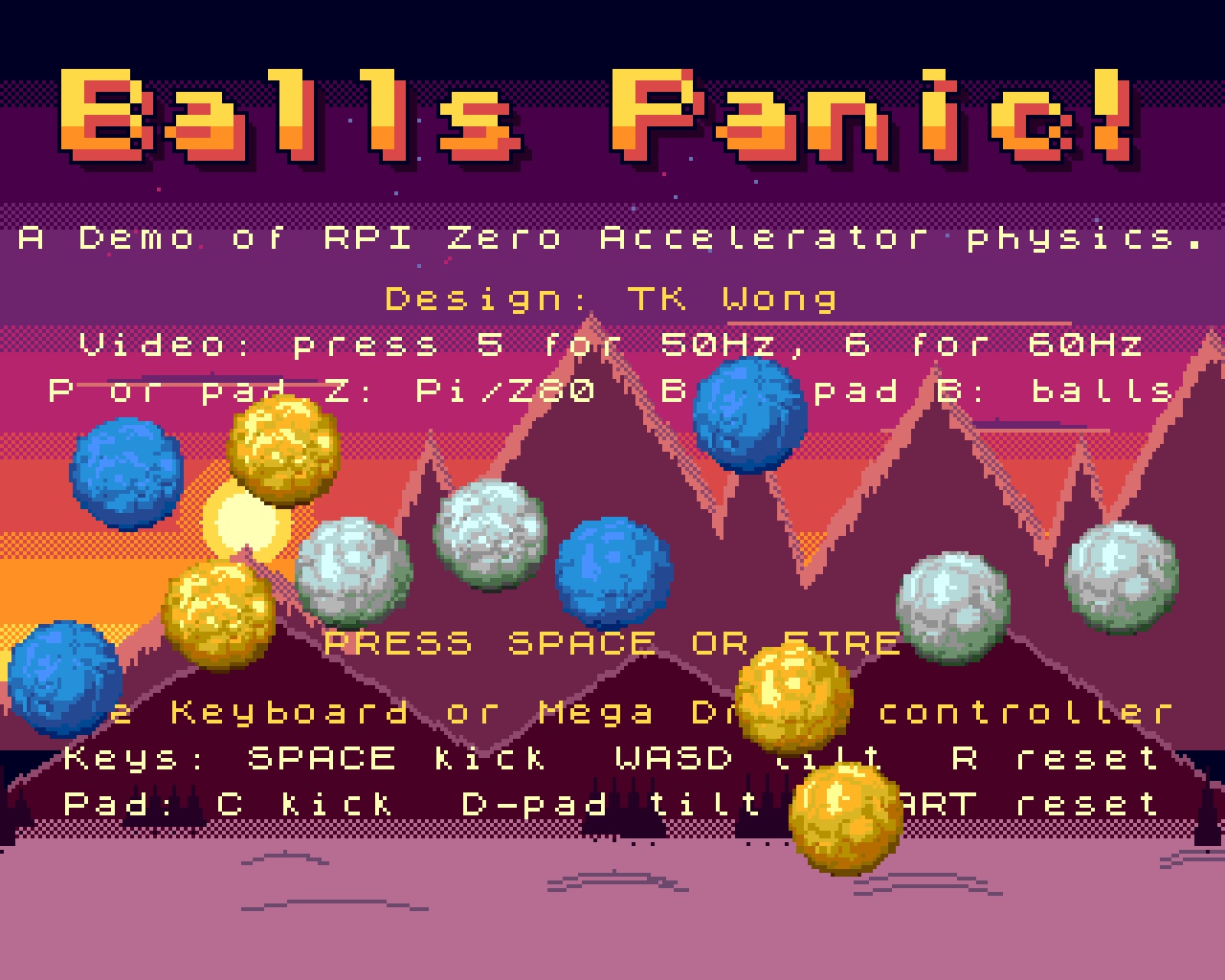
BALLS PANIC!
A Demo of RPI Zero Accelerator physics.
Design: TK Wong
12-80 snowballs bounce, roll and collide at 50 frames a second.
All the physics (gravity, bounces, ball-to-ball collisions)
runs on the Raspberry Pi Zero accelerator. The Spectrum Next
only reads the controls and draws the sprites. They talk over
the Pi's GPIO pins with a handshake on every 4 bits, at
about 85-90 KB/s.
Press P to move the physics onto the Next's own Z80 (and back)
and compare. Press B for more balls: 12, 16, 20 big ones, then
24, 32, 48, 64, 80 small ones. The Pi keeps 50 frames a second
all the way; the Z80 runs out of time at about 32 small balls.
The meter in the top-left corner shows:
PI / Z80 who is doing the maths, and how many balls
CPU how much of each frame the Z80 is busy (and the bar)
PHYS (Z80) the share spent on the physics maths
LINK (Pi) the share spent on the link: sending the keys,
waiting for the Pi, receiving the balls
FPS frames drawn per second (50, or 60 at 60 Hz, when
everything fits in a frame)
It updates once a second. On the Z80, resting balls cost more
than flying ones: every pair that touches needs the full
collision maths each frame.
The balls carry on from where they are when you switch.
Download
Install instructions
YOU NEED
- ZX Spectrum Next with the Pi Zero accelerator fitted,
running NextPi (the standard Pi image for the Next).
- Tested on core 3.02.00.
FILES (keep them together in one folder)
Install.bas run ONCE: installs the physics engine on the Pi
BallsPanic.bas run every time after that
BallsPanic.nex the demo
nextlink the physics engine for the Pi Zero
README.TXT this file
HOW TO RUN
1. Copy the BallsPanic folder to your SD card.
2. FIRST TIME ONLY: open Install.bas in the Browser.
It sends nextlink to the Pi, saves a copy on the Pi's SD
card (/NextPi/nextlink), starts it and runs the demo.
Allow about 10 seconds.
3. EVERY TIME AFTER THAT: open BallsPanic.bas. It starts the
saved nextlink and runs the demo (no upload, quicker).
4. Title screen: press SPACE or FIRE to play.
WHY TWO FILES?
The Pi keeps no programs running through a power-off. The
copy saved in /NextPi/ stays, and BallsPanic.bas starts it
again each time you switch on.
CONTROLS (keyboard or Mega Drive controller)
Keyboard: SPACE kick W A S D tilt gravity R reset
5 = 50 Hz video 6 = 60 Hz video
P = physics on the Pi / on the Z80
B = more balls: 12 16 20 big, 24 32 48 64 80 small
(starts the scene again)
Pad: C kick (A too) D-pad tilt gravity START reset
B = more balls Z = physics on the Pi / on the Z80
(Z needs a 6-button Mega Drive pad)
The pad is read on joystick port 1 or 2 in Kempston or
Mega Drive mode.
50 / 60 HZ
The demo runs at whatever rate the Next is set to, and the
balls move at the same speed either way. Press 5 or 6 at any
time to switch (handy for 60 Hz-only capture cards and TVs).
IF THE TITLE SAYS "Waiting for the Pi Zero..."
The physics engine is not running. That happens after the
Next has been switched off, or if you ran BallsPanic.nex
directly. Run BallsPanic.bas (or Install.bas if you never
have). A reset of the Next alone does not stop it.
Or press P to run the physics on the Z80: then no Pi is
needed at all.
UPDATING FROM THE FIRST RELEASE
Run Install.bas once more, so the Pi gets the new nextlink
(v4). An older one still plays 12 balls, but switching then
makes the balls jump, and B only works on the Z80.
NOTES
- Install.bas switches the Pi's serial line to 2Mbit for a
quick upload. It stays at 2Mbit until the Pi is switched
off, so power-cycle before running Snow Panic.
- Install.bas saves nextlink (about 58 KB) as /NextPi/nextlink
on the Pi's SD card. It runs from the Pi's RAM disk (/ram).
To remove it, delete /NextPi/nextlink on the Pi.
- It uses Pi GPIO 8-13. The UART and audio are left alone,
so .pisend and Pi MP3 playback still work.
- Snowball and background art from SnowPanic.
Comments
Log in with itch.io to leave a comment.
super interesting tests, thanks.